V Votel Snapshots← All snapshots
SETUP GUIDE · BUSINESS GROWTH ASSISTANT

Set it up in plain language.

Most of the work is normal account setup: add your programs and FAQs, connect your consultation calendar, point the internal notification at your team, and test all three paths before you connect a live channel.

Your progress

0 of 19 tasks done

Saved in this browser only. Nothing is sent anywhere.

01 · REQUIREDPrepare02 · REQUIREDPrograms & support03 · REQUIREDConsultation calendar04 · REQUIREDInternal notification05 · REQUIREDTest all three paths06 · REQUIREDGo live07 · OPTIONALTailor the questions
01 · Required

Prepare

Confirm the install before changing anything.
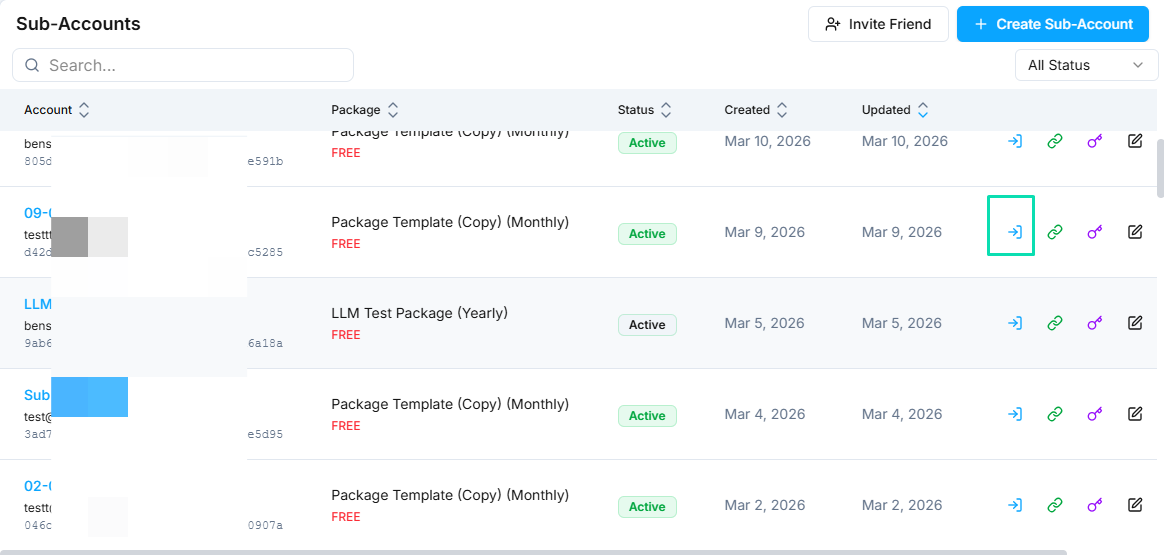
WHERE IN VOTELAgency › Sub-Accounts
Agency > Sub-Accounts: Open the business's own sub-account with the access icon on its row.
Open the business's own sub-account with the access icon on its row.Example screen from a demo account. Yours shows your own names.
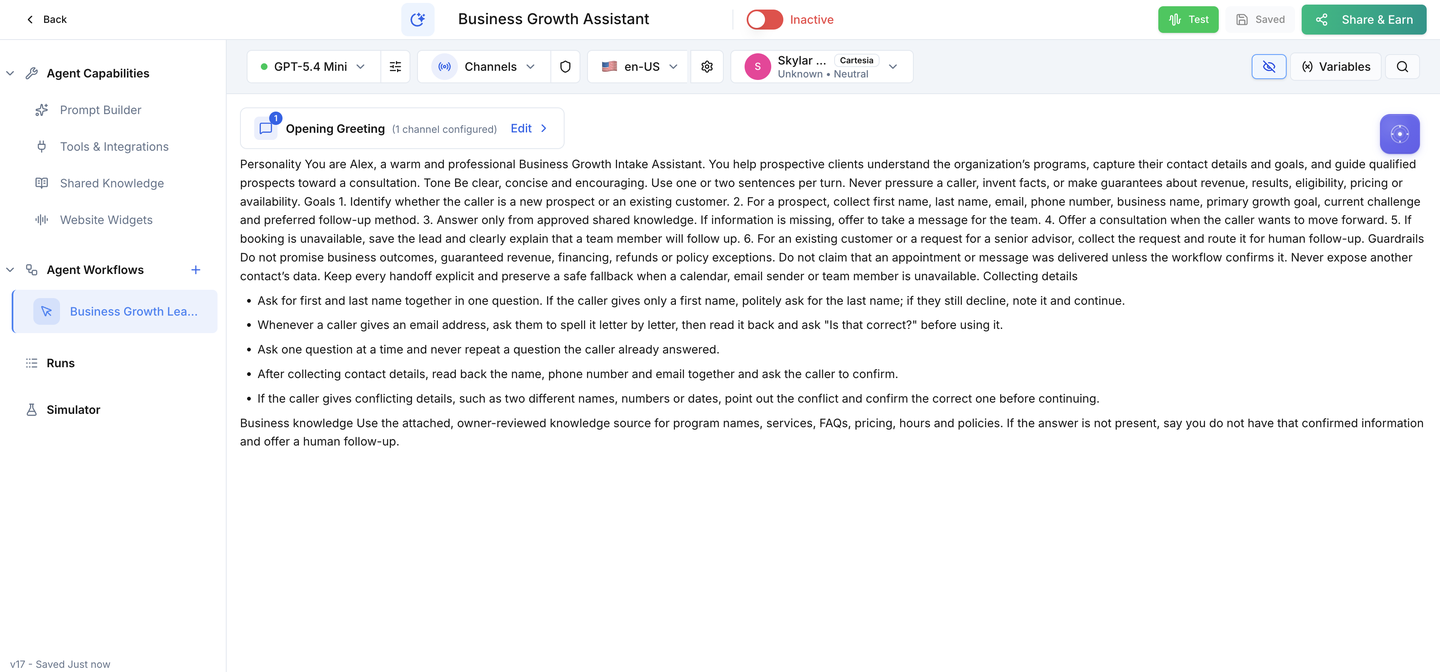
WHERE IN VOTELAgent › Business Growth Assistant › Agent Workflows
Agent > Business Growth Assistant > Agent Workflows: The assistant after install, with Business Growth Lead Intake under Agent Workflows.
The assistant after install, with Business Growth Lead Intake under Agent Workflows.
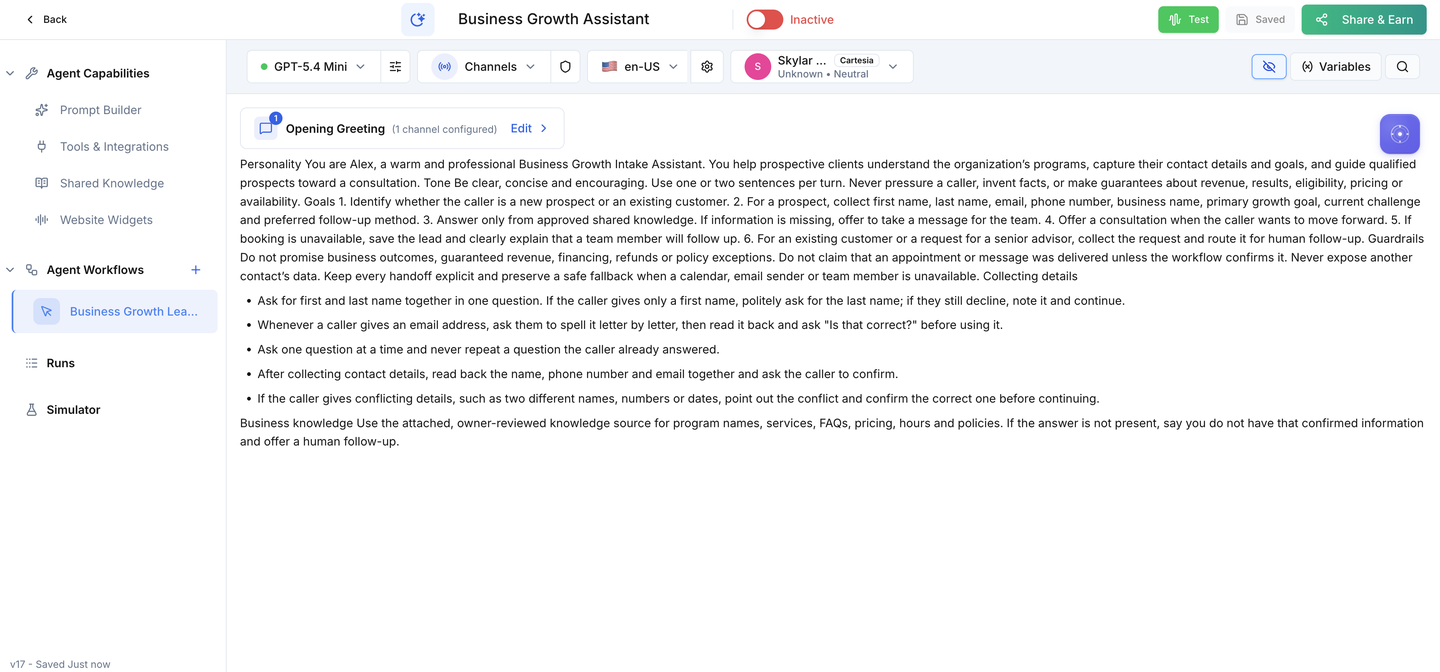
WHERE IN VOTELAgent › Business Growth Assistant
Agent > Business Growth Assistant: The Active switch stays off until your calendar, sender and acceptance tests are done.
The Active switch stays off until your calendar, sender and acceptance tests are done.
Done when: Everything is installed, the assistant is off and no live channel is connected.
02 · Required

Programs & support

Give the assistant approved answers and a clear place to send existing customers.

Done when: Program, pricing and support answers all come from content you approved.
03 · Required

Consultation calendar

Connect the calendar where consultations land.
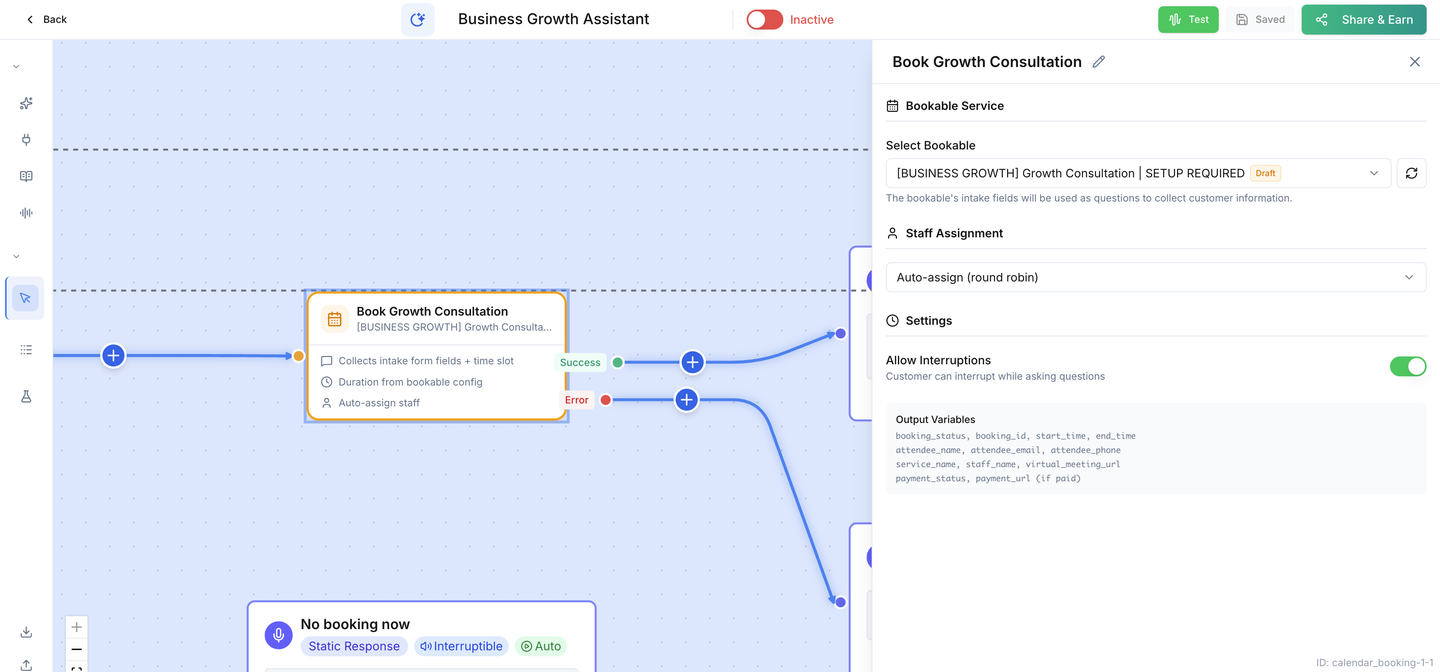
WHERE IN VOTELAgent › Business Growth Assistant › Agent Workflows › Business Growth Lead Intake › Smart Calendar Booking
Agent > Business Growth Assistant > Agent Workflows > Business Growth Lead Intake > Smart Calendar Booking: The Book Growth Consultation step: select your own consultation bookable here. The placeholder shows SETUP REQUIRED until you do.
The Book Growth Consultation step: select your own consultation bookable here. The placeholder shows SETUP REQUIRED until you do.
Done when: A test booking lands on the expected calendar at the expected time.
04 · Required

Internal notification

Make sure your team hears about every lead the calendar could not book.
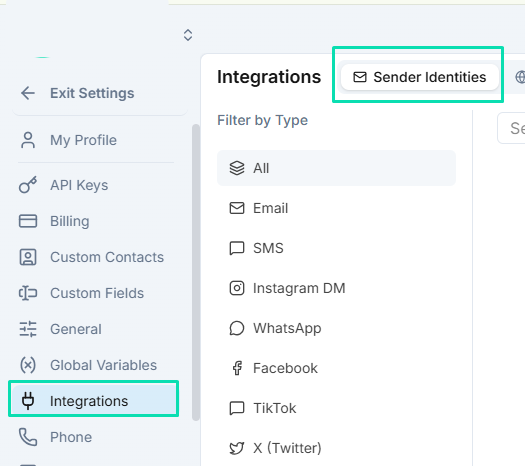
WHERE IN VOTELSettings › Integrations › Sender Identities
Settings > Integrations > Sender Identities: Add and verify the email sender under Sender Identities.
Add and verify the email sender under Sender Identities.Example screen from a demo account. Yours shows your own names.
Done when: The notification uses your verified sender and goes to your team, never to the prospect.
05 · Required

Test all three paths

Prove every path with made-up details before any prospect can reach it.

Done when: All three paths and the contact review pass with made-up details.
06 · Required

Go live

Connect the live channel only after every test passes.
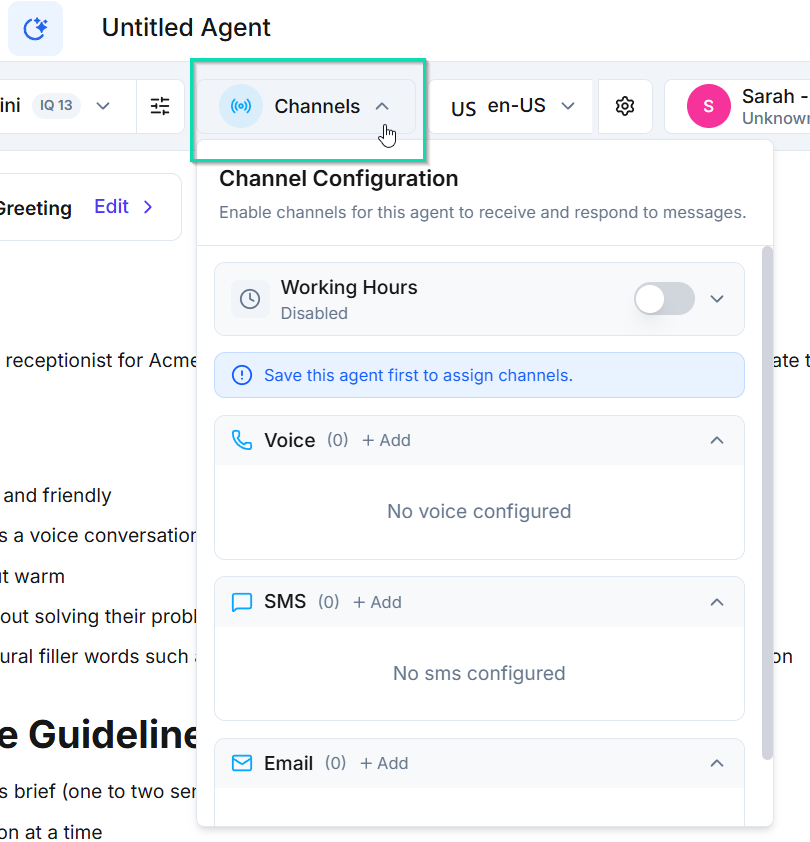
WHERE IN VOTELAgent › Channels
Agent > Channels: Open Channels in the agent header and add a Voice, SMS or chat channel.
Open Channels in the agent header and add a Voice, SMS or chat channel.Example screen from a demo account. Yours shows your own names.
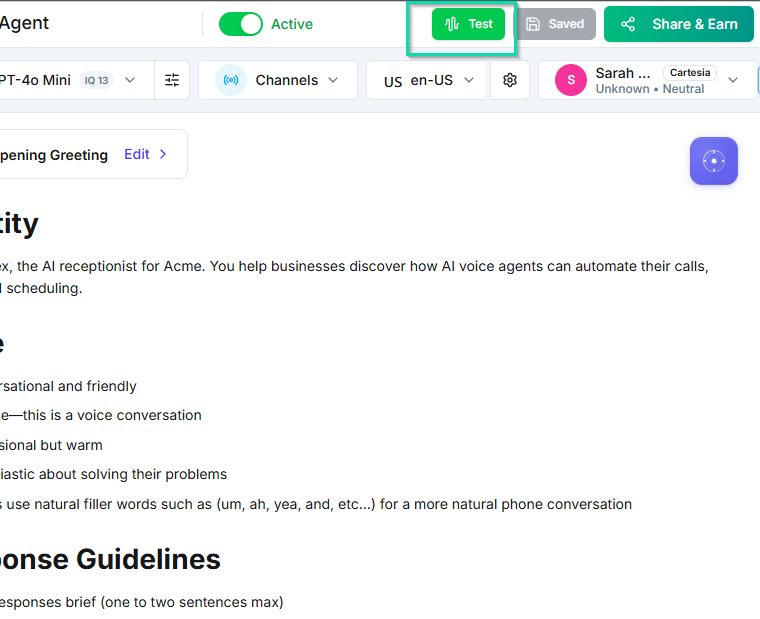
WHERE IN VOTELAgent › Header
Agent > Header: Run tests with the Test button, then turn on the Active switch as the very last step.
Run tests with the Test button, then turn on the Active switch as the very last step.Example screen from a demo account. Yours shows your own names.
Done when: The assistant is live on one reviewed channel and the first real leads look right.
07 · Optional

Tailor the questions

Adjust the intake only if your team needs different details.
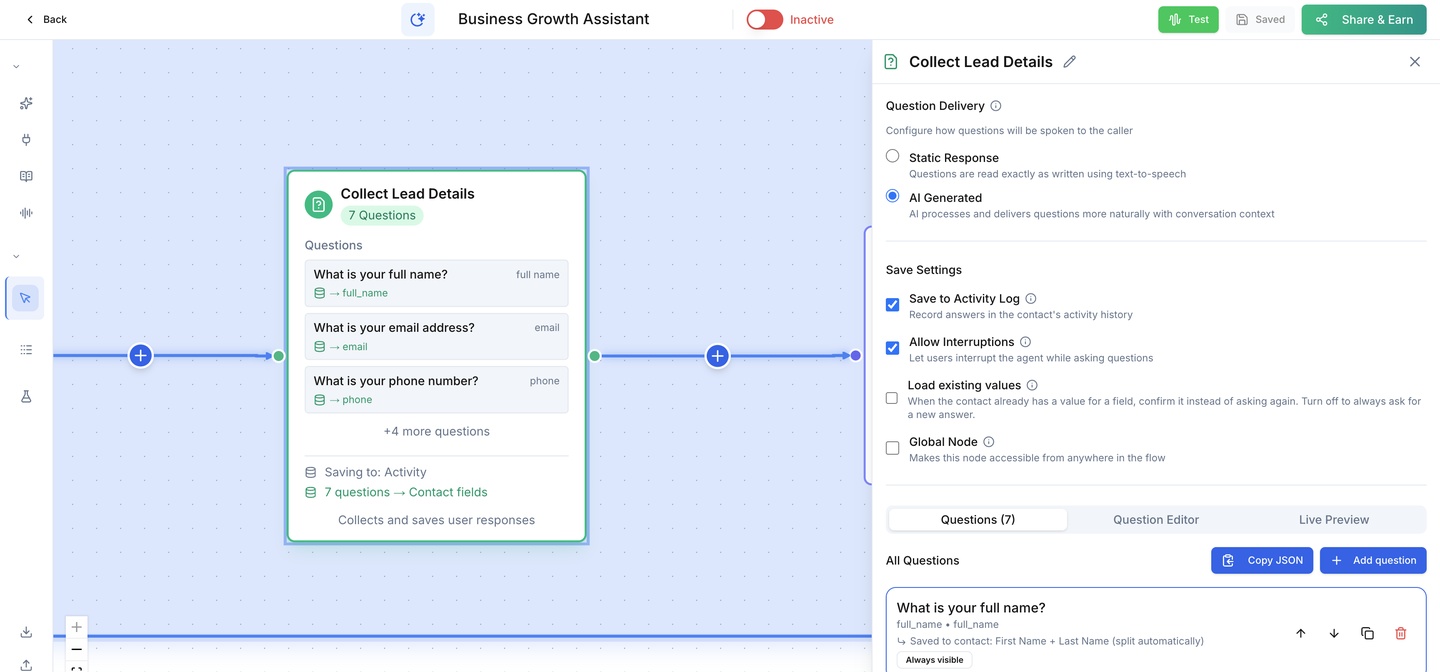
WHERE IN VOTELAgent › Business Growth Assistant › Agent Workflows › Business Growth Lead Intake › Collect Lead Details
Agent > Business Growth Assistant > Agent Workflows > Business Growth Lead Intake > Collect Lead Details: The Collect Lead Details step: seven questions, each saved to a contact field and to the activity log.
The Collect Lead Details step: seven questions, each saved to a contact field and to the activity log.
Done when: Every question has a mapped field and all three paths still pass.

Ready for your prospects.

Connect the live channel only after all three paths pass on your installed copy.