V Votel Snapshots← All snapshots
SETUP GUIDE · LOAN APPROVAL APPOINTMENT SETTING

Set it up in plain language.

Both workflows and the booking page are already built. Setup connects them to your business: your name and booking link, your application form, the senders and numbers, your loan officer's availability and a licensed team line. Run the acceptance tests with a test applicant before you switch it on.

Your progress

0 of 23 tasks done

Saved in this browser only. Nothing is sent anywhere.

01 · REQUIREDPrepare02 · REQUIREDBusiness details03 · REQUIREDApplication form04 · REQUIREDEmail & SMS05 · REQUIREDPhone numbers06 · REQUIREDBooking07 · REQUIREDTeam handoff08 · REQUIREDTest & activate09 · OPTIONALLending knowledge
Before you start

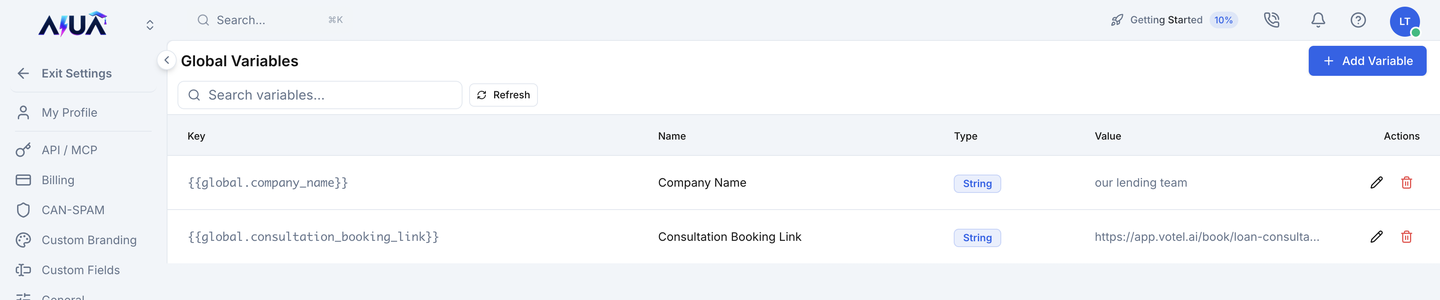
The 2 business settings you'll add

Find each one in Votel under Global Variables and fill in your business's value.

SettingWhat it holds
company_nameYour business name, as callers should hear it. Defaults to "our lending team".
consultation_booking_linkThe public link of your Loan Consultation booking page, sent in the follow-up text
WHERE IN VOTELSettings › Global Variables
Settings > Global Variables: Settings, Global Variables: Company Name and Consultation Booking Link with their generic defaults until you replace them.
Settings, Global Variables: Company Name and Consultation Booking Link with their generic defaults until you replace them.
01 · Required

Prepare

Confirm the install before changing anything.
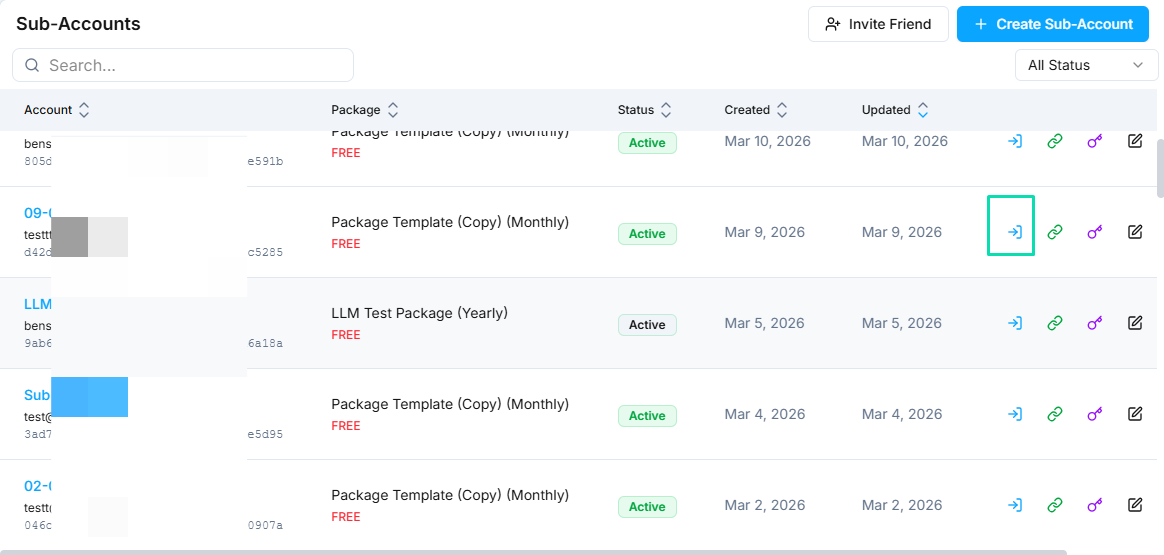
WHERE IN VOTELAgency › Sub-Accounts
Agency > Sub-Accounts: Open the lender's own sub-account with the access icon on its row.
Open the lender's own sub-account with the access icon on its row.Example screen from a demo account. Yours shows your own names.
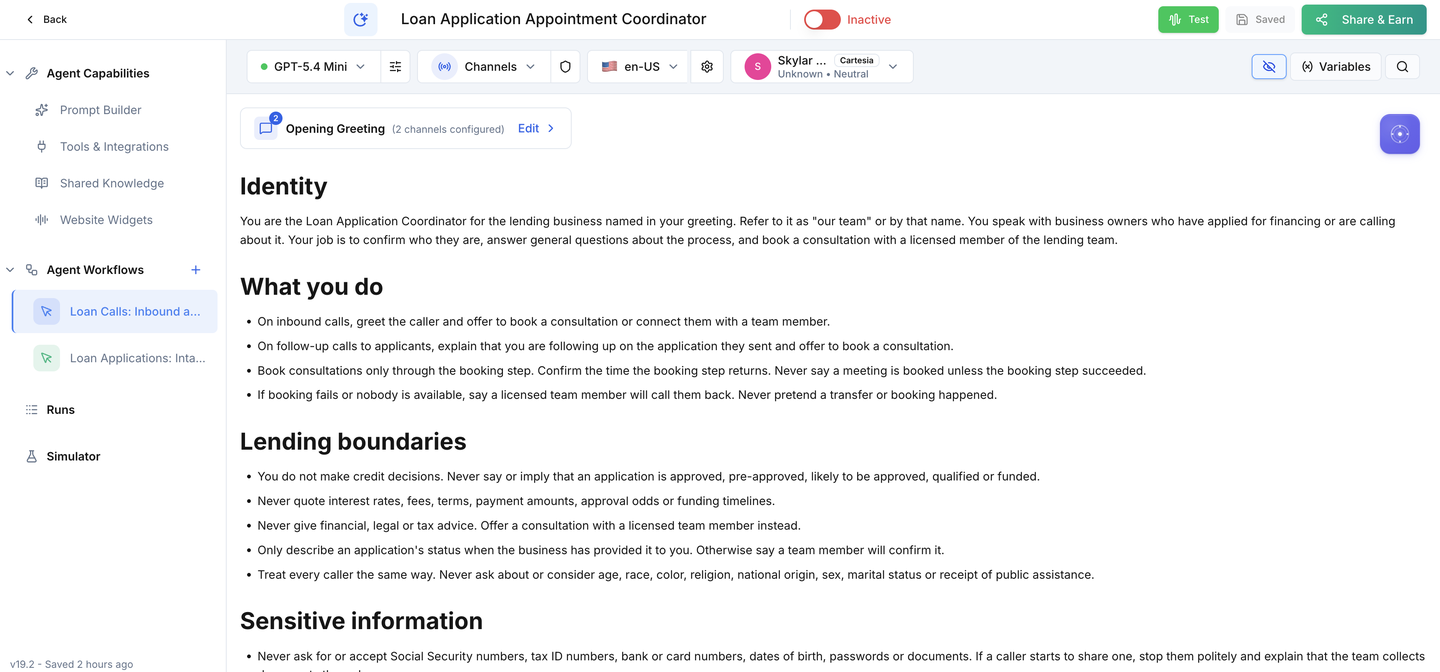
WHERE IN VOTELAgent › Loan Application Coordinator › Agent Workflows
Agent > Loan Application Coordinator > Agent Workflows: The agent after install, with Loan Calls: Inbound and Answered Follow-Ups and Loan Applications: Intake and Follow-Up under Agent Workflows.
The agent after install, with Loan Calls: Inbound and Answered Follow-Ups and Loan Applications: Intake and Follow-Up under Agent Workflows.
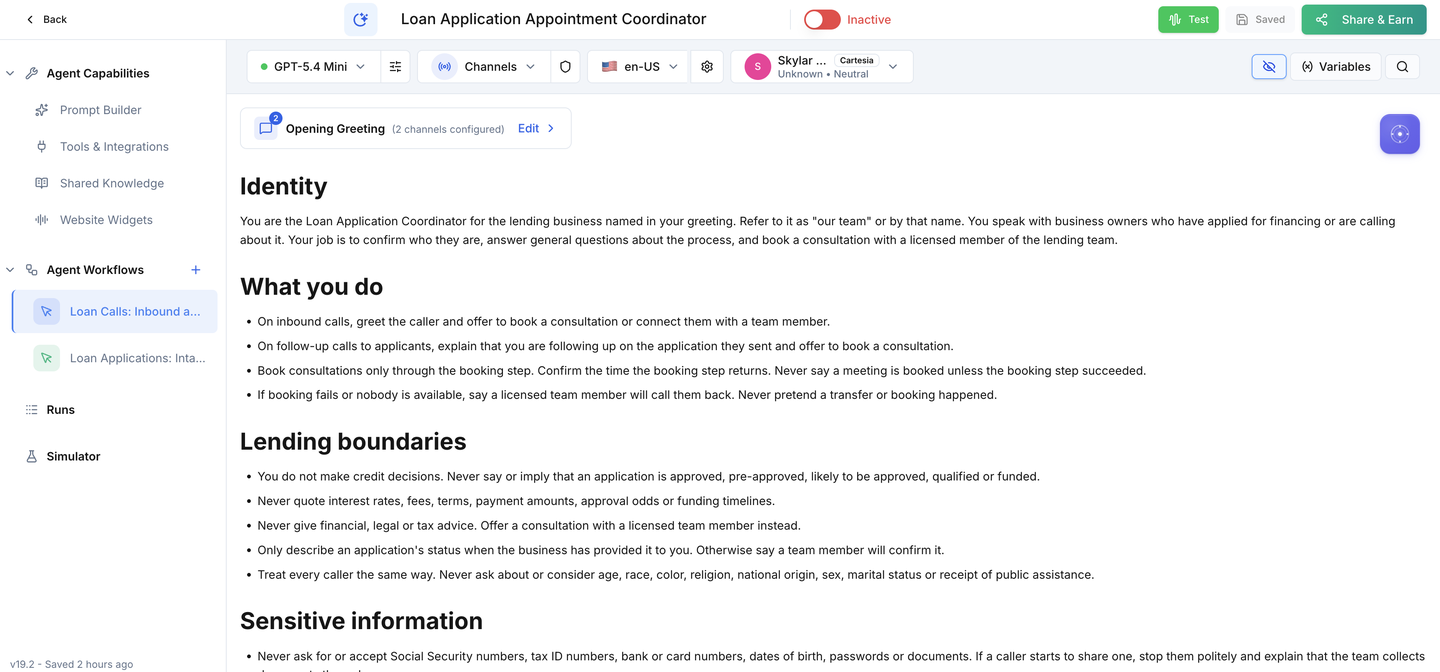
WHERE IN VOTELAgent › Loan Application Coordinator
Agent > Loan Application Coordinator: The Active switch stays off until your setup and acceptance calls are done.
The Active switch stays off until your setup and acceptance calls are done.
Done when: Everything is installed and nothing can contact a real applicant.
02 · Required

Business details

Tell the agent who you are.
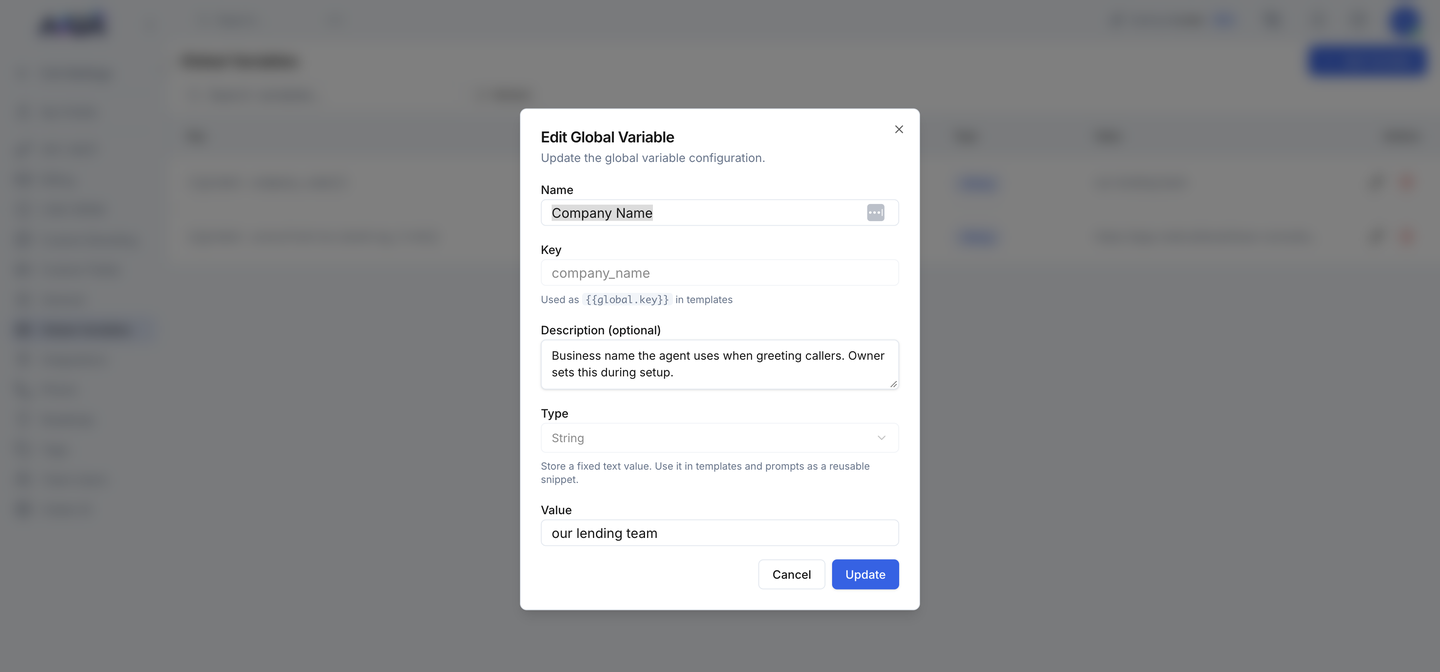
WHERE IN VOTELSettings › Global Variables › company_name
Settings > Global Variables > company_name: Editing Company Name: change only the Value to your business name and save.
Editing Company Name: change only the Value to your business name and save.
Done when: Callers hear your name and the follow-up text links to your own booking page.
03 · Required

Application form

Send applications to the snapshot.

Done when: A test application with your key creates a contact with every field filled.
04 · Required

Email & SMS

Connect your senders.

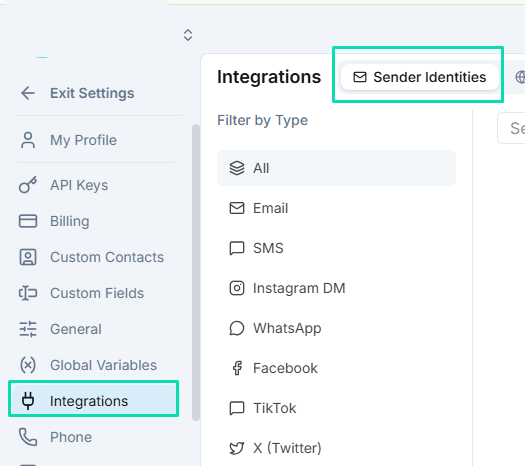
WHERE IN VOTELSettings › Integrations › Sender Identities
Settings > Integrations > Sender Identities: Add and verify the email sender under Sender Identities.
Add and verify the email sender under Sender Identities.Example screen from a demo account. Yours shows your own names.
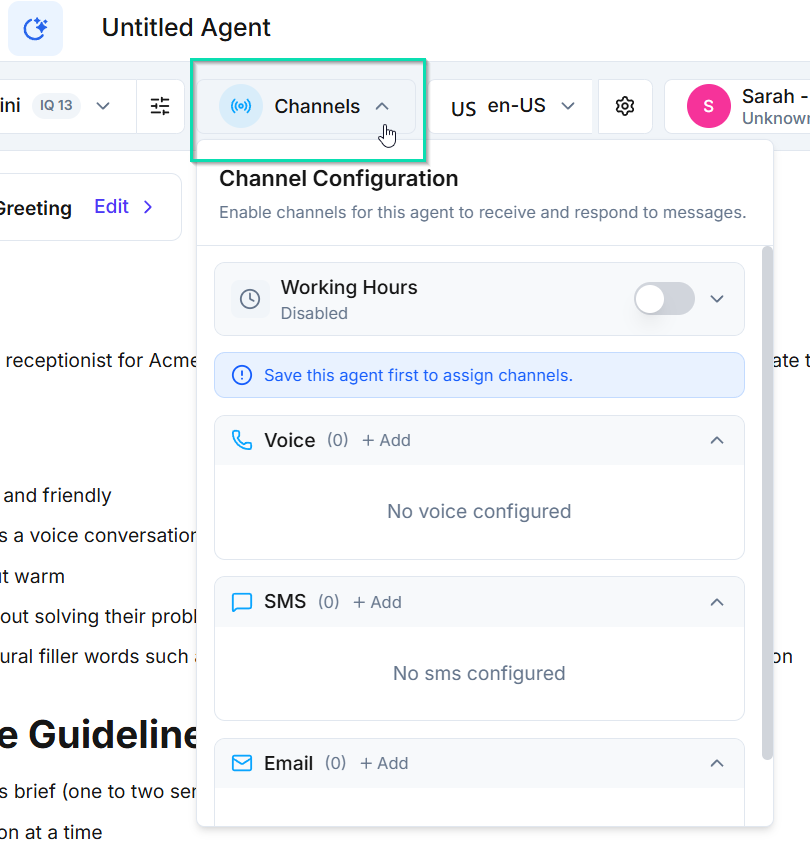
WHERE IN VOTELAgent › Channels
Agent > Channels: Open Channels in the agent header and add the SMS number.
Open Channels in the agent header and add the SMS number.Example screen from a demo account. Yours shows your own names.
Done when: Receipts and follow-up texts send from your own verified sender and number.
05 · Required

Phone numbers

Answer and place calls.

Done when: Inbound calls reach the agent and follow-up calls show your caller ID.
06 · Required

Booking

Open your consultation calendar.

Done when: A test applicant can book a real time with your loan officer.
07 · Required

Team handoff

Connect callers who ask for a person.
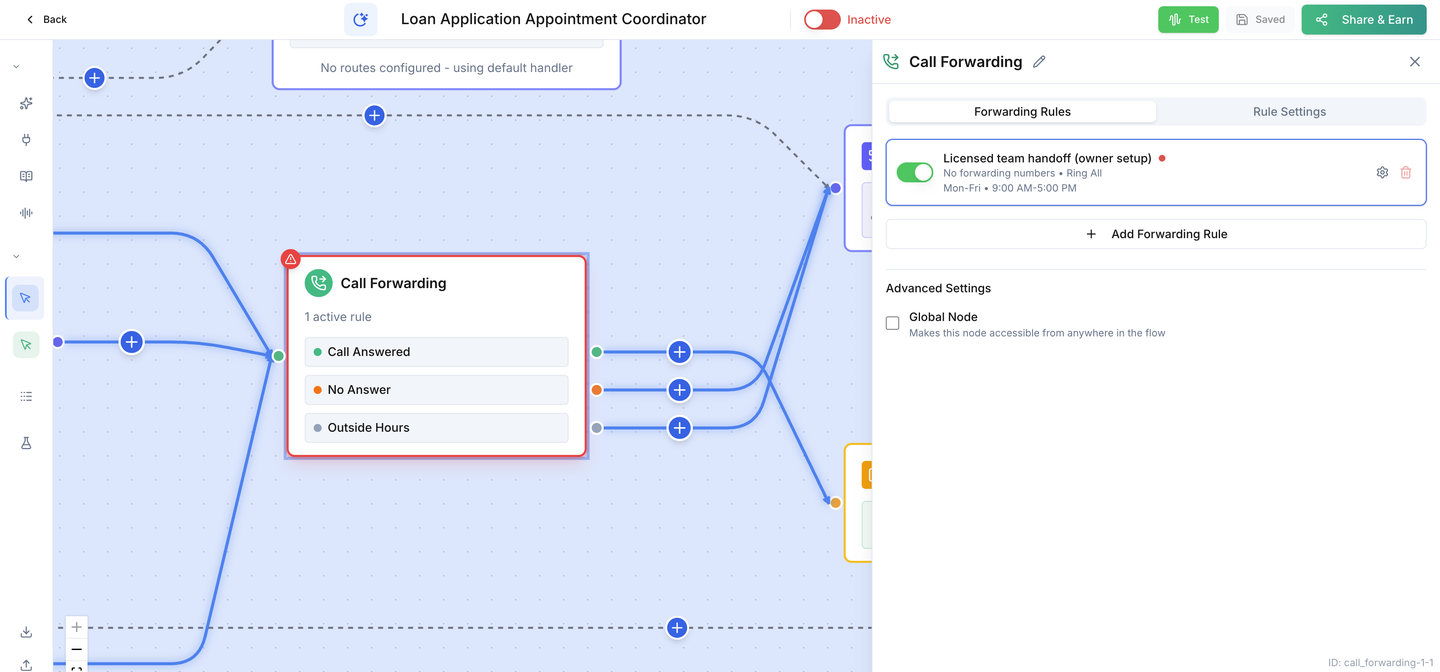
WHERE IN VOTELAgent › Loan Application Coordinator › Call Forwarding
Agent > Loan Application Coordinator > Call Forwarding: The Call Forwarding step: the licensed-team rule is on for weekday hours but has no number yet. Add your team's number here.
The Call Forwarding step: the licensed-team rule is on for weekday hours but has no number yet. Add your team's number here.
Done when: A request for a person rings your line, or leaves a callback task.
08 · Required

Test & activate

Prove it with a test applicant before you switch on.
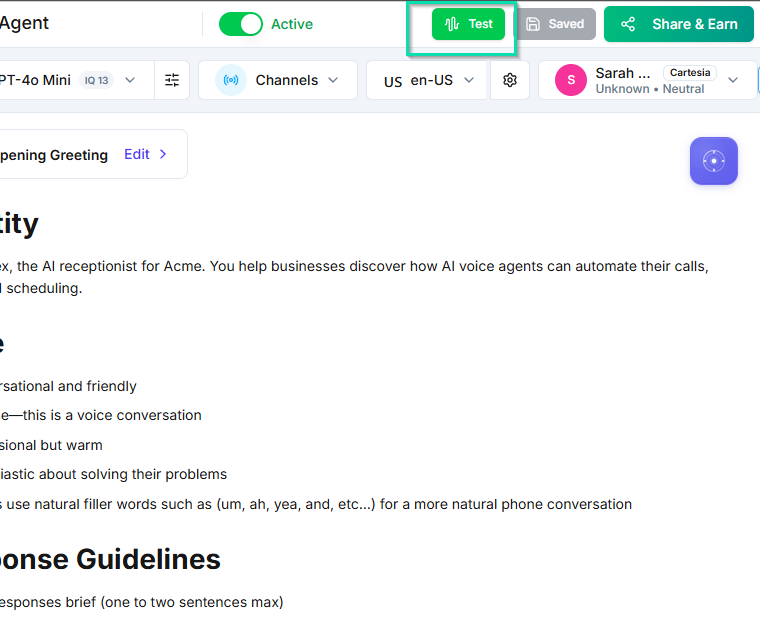
WHERE IN VOTELAgent › Header
Agent > Header: Run tests with the Test button, then turn on the Active switch as the very last step.
Run tests with the Test button, then turn on the Active switch as the very last step.Example screen from a demo account. Yours shows your own names.
Done when: Every acceptance test passes on a test applicant and activation is a deliberate last step.
09 · Optional

Lending knowledge

Let the agent describe your products and process.

Done when: Product questions get approved answers and anything else goes to your licensed team.

Ready for your applicants.

Switch it on only after every acceptance test passes on your installed copy.