V Votel Snapshots← All snapshots
SETUP GUIDE · AFTER-HOURS LEAD CAPTURE AI

Set it up in plain language.

The three workflows are already built. Setup connects them to your business: your business name, the team line and hours, the caller ID and SMS number, the email sender, and your business phone number. Then run the acceptance calls and switch it on.

Your progress

0 of 17 tasks done

Saved in this browser only. Nothing is sent anywhere.

01 · REQUIREDPrepare02 · REQUIREDBusiness name03 · REQUIREDTeam line04 · REQUIREDCaller ID and SMS05 · REQUIREDEmail sender06 · REQUIREDBusiness line, test & activate07 · OPTIONALBusiness FAQs
Before you start

The 1 business settings you'll add

Find it in Votel under Global Variables and fill in your business's name.

SettingWhat it holds
company_nameYour business name in every greeting and text (ships as "our office")
WHERE IN VOTELSettings › Global Variables
Settings > Global Variables: Settings, Global Variables: Company Name reads "our office" until you enter your business name.
Settings, Global Variables: Company Name reads "our office" until you enter your business name.
01 · Required

Prepare

Confirm the install before changing anything.
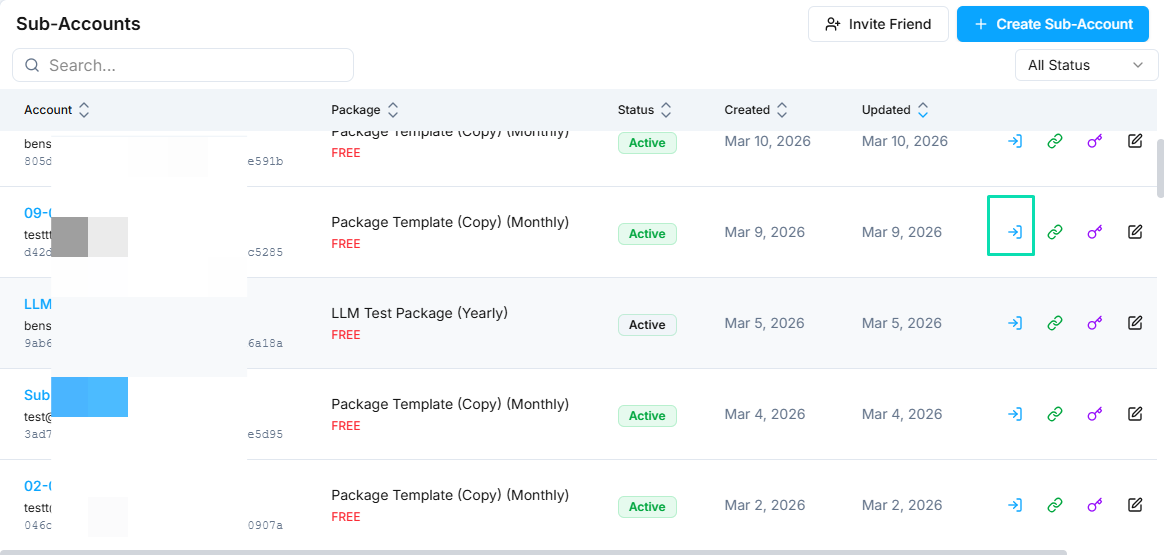
WHERE IN VOTELAgency › Sub-Accounts
Agency > Sub-Accounts: Open the business's own sub-account with the access icon on its row.
Open the business's own sub-account with the access icon on its row.Example screen from a demo account. Yours shows your own names.
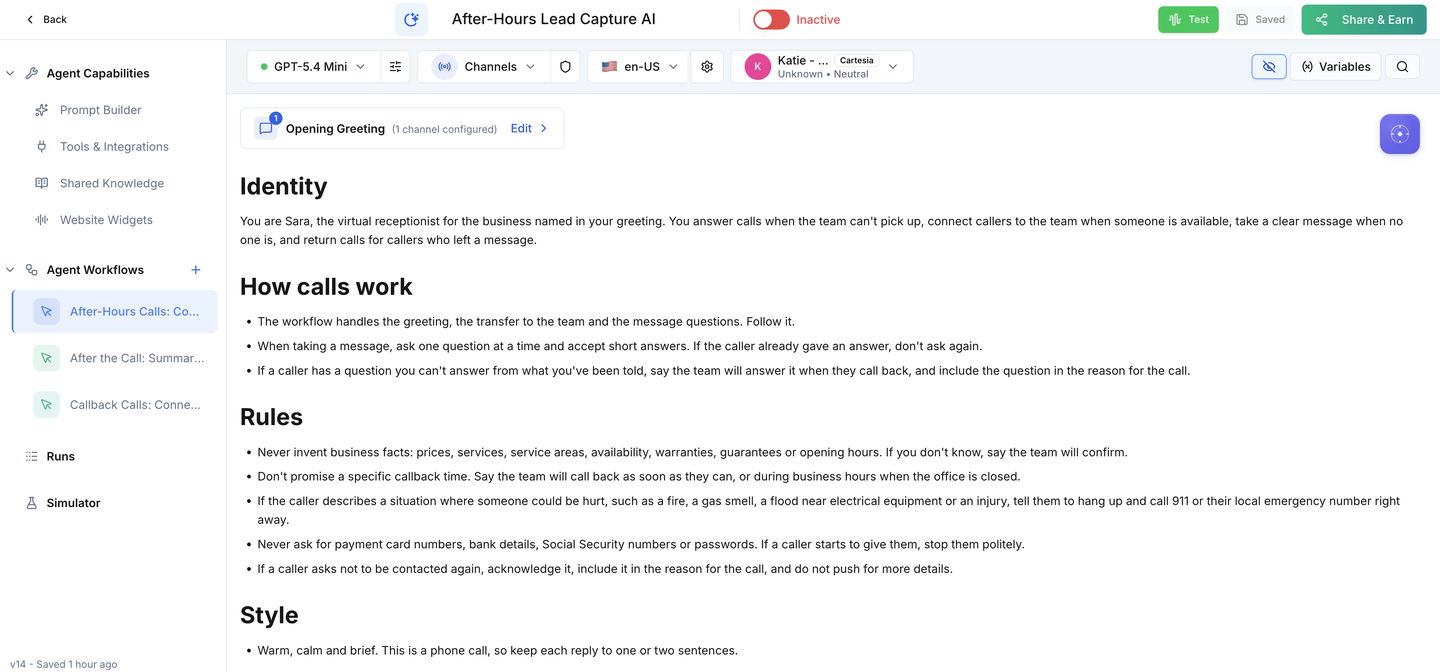
WHERE IN VOTELAgent › After-Hours Lead Capture AI › Agent Workflows
Agent > After-Hours Lead Capture AI > Agent Workflows: The agent after install, with the call, after-the-call and callback workflows under Agent Workflows.
The agent after install, with the call, after-the-call and callback workflows under Agent Workflows.
WHERE IN VOTELAgent › After-Hours Lead Capture AI
Agent > After-Hours Lead Capture AI: The Active switch stays off until your team line, numbers and acceptance calls are done.
The Active switch stays off until your team line, numbers and acceptance calls are done.
Done when: Everything is installed and the agent cannot answer a real call yet.
02 · Required

Business name

Tell callers who they reached.
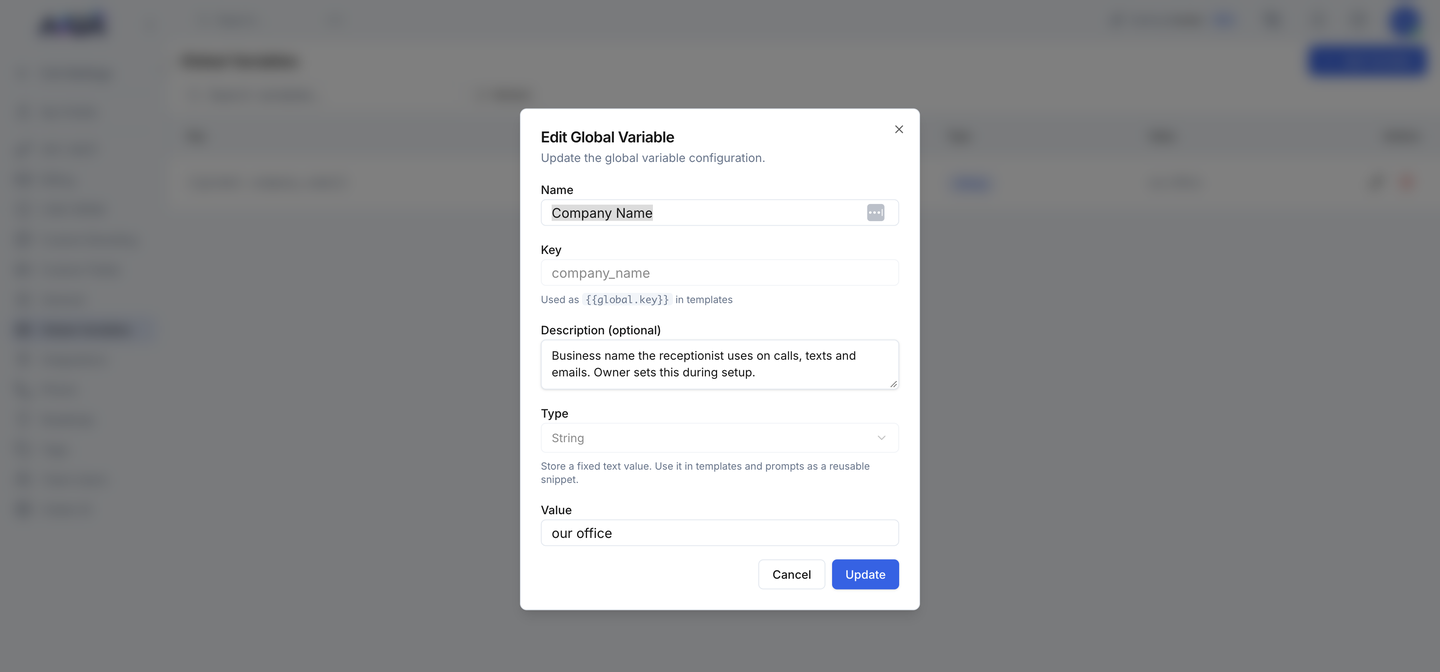
WHERE IN VOTELSettings › Global Variables › company_name
Settings > Global Variables > company_name: Editing Company Name: change only the Value to your business name and save.
Editing Company Name: change only the Value to your business name and save.
Done when: Every greeting and text uses your business name.
03 · Required

Team line

Decide where live calls go and when.
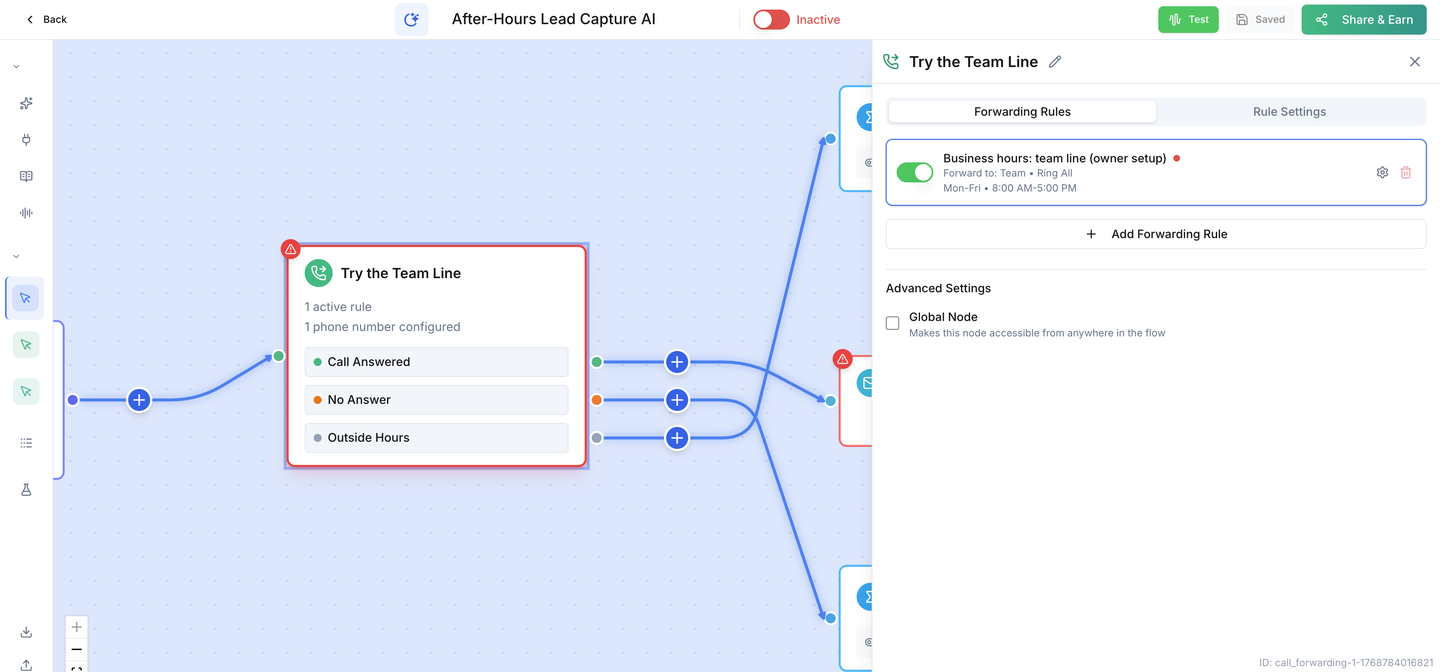
WHERE IN VOTELAgent › After-Hours Lead Capture AI › Agent Workflows › After-Hours Calls: Connect or Take a Message › Try the Team Line
Agent > After-Hours Lead Capture AI > Agent Workflows > After-Hours Calls: Connect or Take a Message > Try the Team Line: The Try the Team Line step: open the business-hours rule to add your team's number and hours. Outside those hours Sara takes a message.
The Try the Team Line step: open the business-hours rule to add your team's number and hours. Outside those hours Sara takes a message.
Done when: Calls ring your team in business hours, and callbacks wait for business hours.
04 · Required

Caller ID and SMS

Choose the numbers callers see and receive texts from.

Done when: Both callbacks and all four texts use your own verified numbers.
05 · Required

Email sender

Send team notices from your own account.
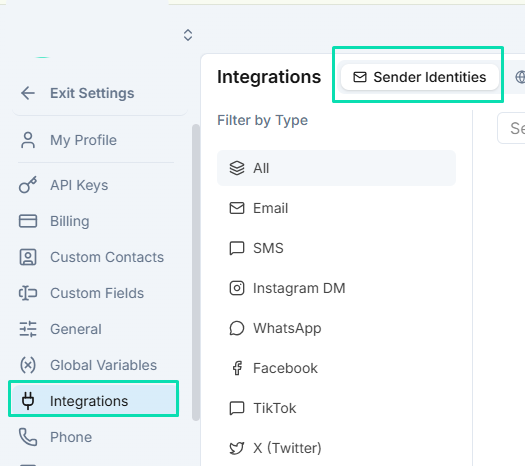
WHERE IN VOTELSettings › Integrations › Sender Identities
Settings > Integrations > Sender Identities: Add and verify the email sender under Sender Identities.
Add and verify the email sender under Sender Identities.Example screen from a demo account. Yours shows your own names.
Done when: A test notice reaches the people who return calls.
06 · Required

Business line, test & activate

Connect the number callers dial, prove every path, then switch on.
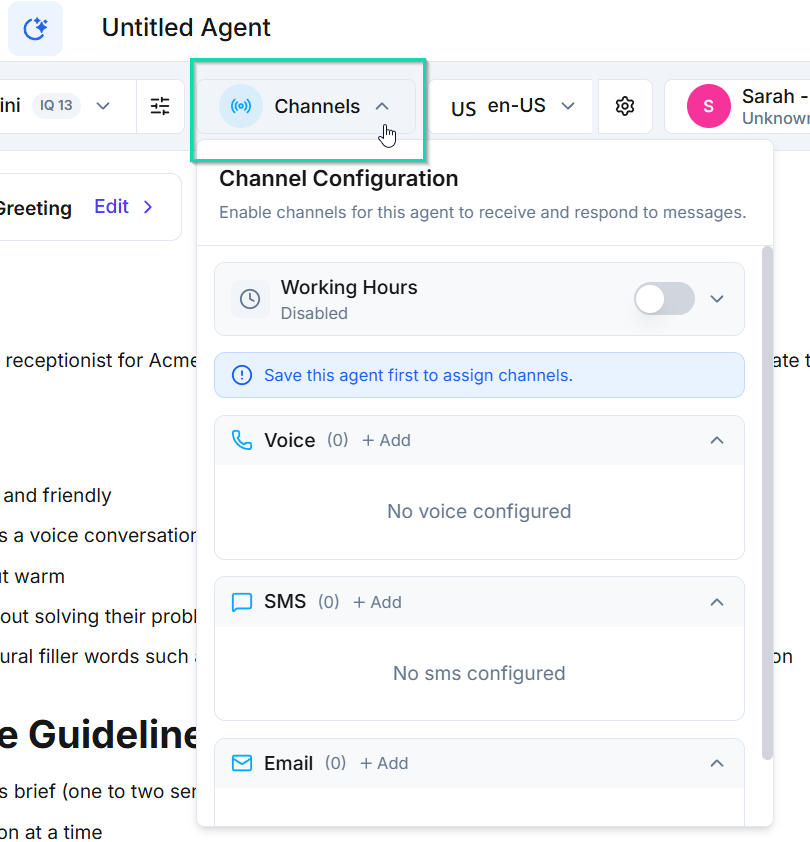
WHERE IN VOTELAgent › Channels
Agent > Channels: Open Channels in the agent header and add your business's Voice number.
Open Channels in the agent header and add your business's Voice number.Example screen from a demo account. Yours shows your own names.
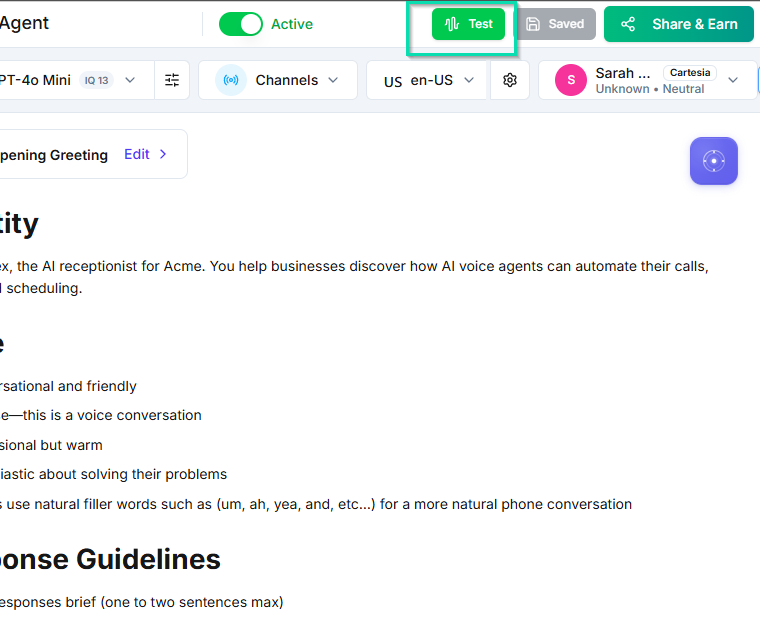
WHERE IN VOTELAgent › Header
Agent > Header: Run tests with the Test button, then turn on the Active switch as the very last step.
Run tests with the Test button, then turn on the Active switch as the very last step.Example screen from a demo account. Yours shows your own names.
Done when: All six acceptance calls pass and activation is a deliberate last step.
07 · Optional

Business FAQs

Let Sara answer common questions in your words.

Done when: A service-area question gets your approved answer, and anything missing still goes to the team.

Ready for your next missed call.

Switch it on only after every acceptance call passes on your installed copy.