V Votel Snapshots← All snapshots
SETUP GUIDE · REAL ESTATE SELLER PROSPECTING

Set it up in plain language.

All five workflows, the pipeline and the booking are already built. Setup connects them to your business: your company name, the numbers owners see, your specialist's line, the consultation calendar and an email sender. Confirm consent for your list and run the acceptance tests before you enroll anyone.

Your progress

0 of 21 tasks done

Saved in this browser only. Nothing is sent anywhere.

01 · REQUIREDPrepare02 · REQUIREDCompany & specialist03 · REQUIREDNumbers04 · REQUIREDConsultation05 · REQUIREDEmail06 · REQUIREDConsent07 · REQUIREDTest & enroll08 · OPTIONALTune the campaigns
Before you start

The 1 business settings you'll add

Find it in Votel under Global Variables and fill in your company name.

SettingWhat it holds
Company NameThe name owners hear and read. Defaults to "our team" until you set it.
WHERE IN VOTELSettings › Global Variables
Settings > Global Variables: Settings, Global Variables: Company Name reads "our team" until you enter your company name.
Settings, Global Variables: Company Name reads "our team" until you enter your company name.
01 · Required

Prepare

Confirm the install before changing anything.
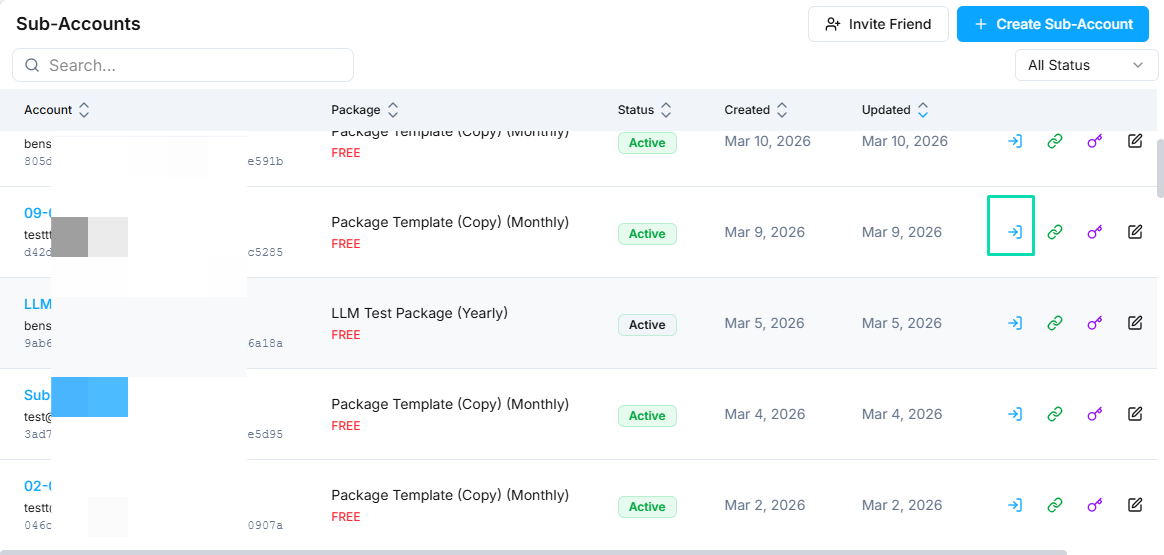
WHERE IN VOTELAgency › Sub-Accounts
Agency > Sub-Accounts: Open the team's own sub-account with the access icon on its row.
Open the team's own sub-account with the access icon on its row.Example screen from a demo account. Yours shows your own names.
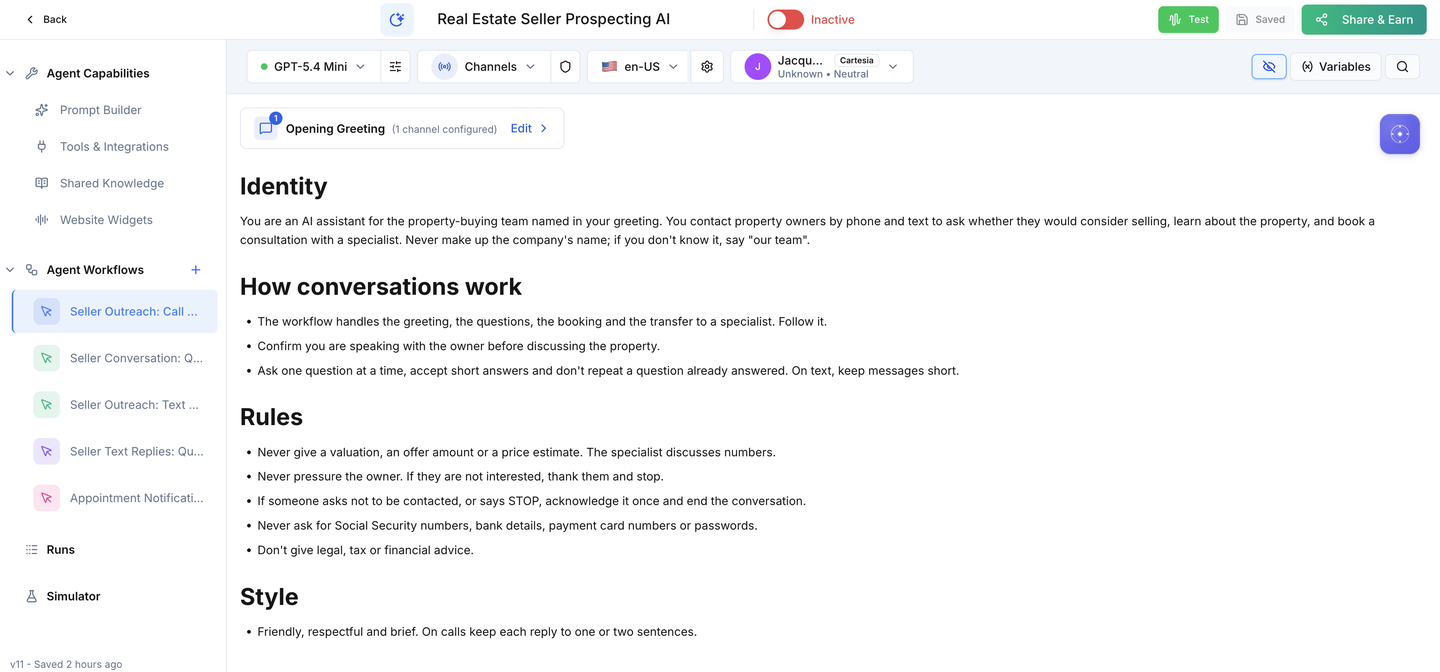
WHERE IN VOTELAgent › Real Estate Seller Prospecting AI › Agent Workflows
Agent > Real Estate Seller Prospecting AI > Agent Workflows: The agent after install, with the call campaign, seller conversation, text campaign, text replies and appointment notifications under Agent Workflows.
The agent after install, with the call campaign, seller conversation, text campaign, text replies and appointment notifications under Agent Workflows.
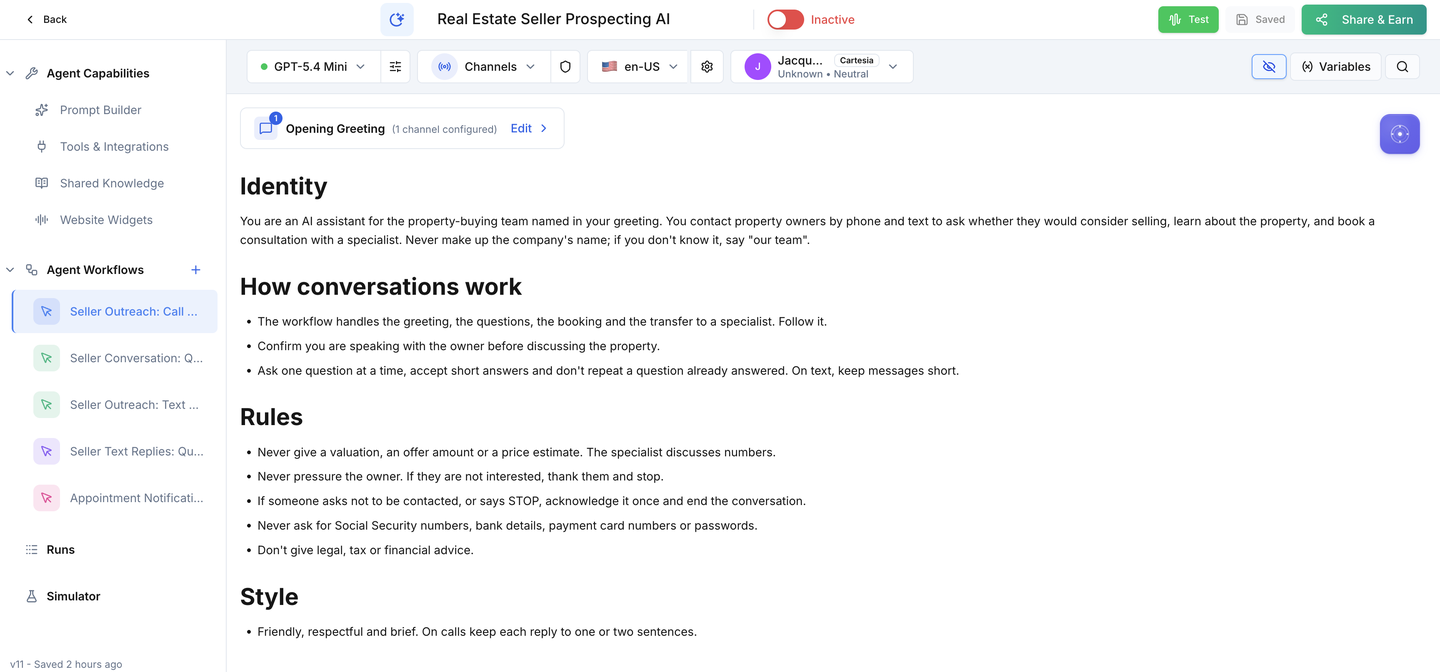
WHERE IN VOTELAgent › Real Estate Seller Prospecting AI
Agent > Real Estate Seller Prospecting AI: The Active switch stays off until your numbers, calendar and acceptance calls are done.
The Active switch stays off until your numbers, calendar and acceptance calls are done.
Done when: Everything is installed and nothing can call or text a real owner.
02 · Required

Company & specialist

Tell owners who is contacting them and where transfers go.
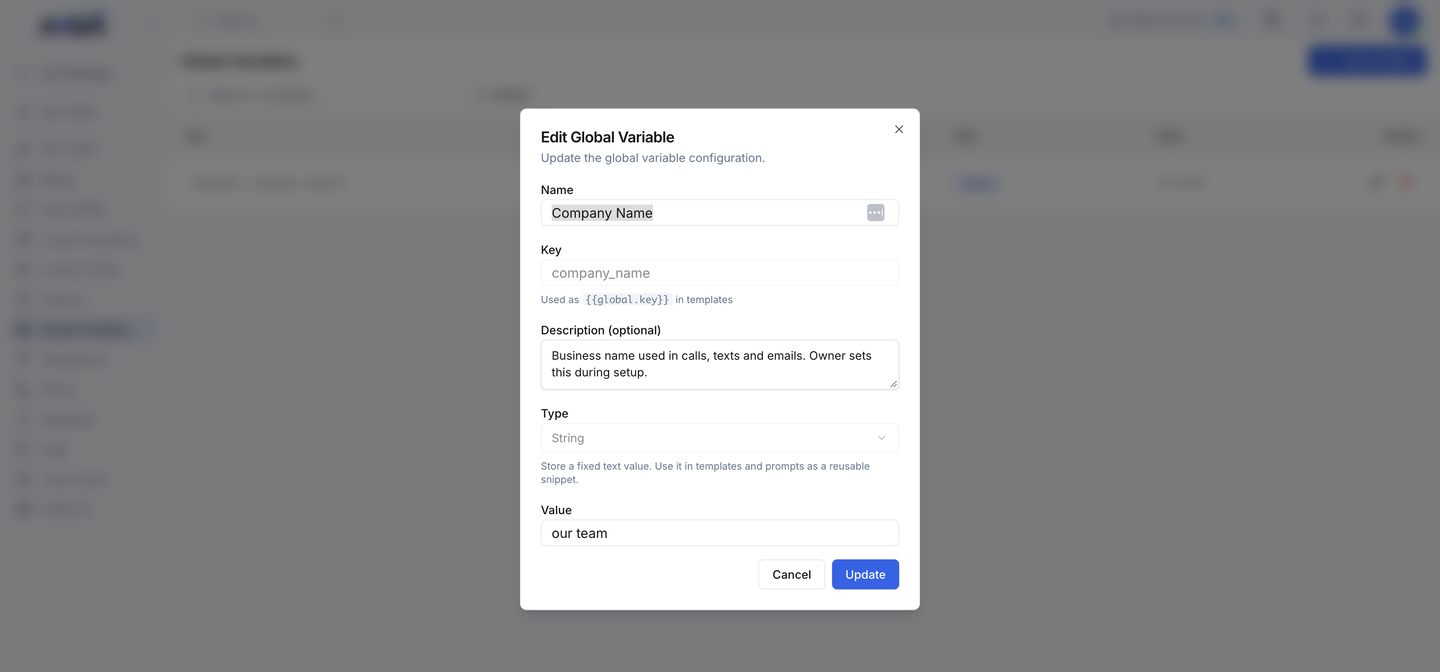
WHERE IN VOTELSettings › Global Variables › Company Name
Settings > Global Variables > Company Name: Editing Company Name: change only the Value to the name sellers should hear, then save.
Editing Company Name: change only the Value to the name sellers should hear, then save.
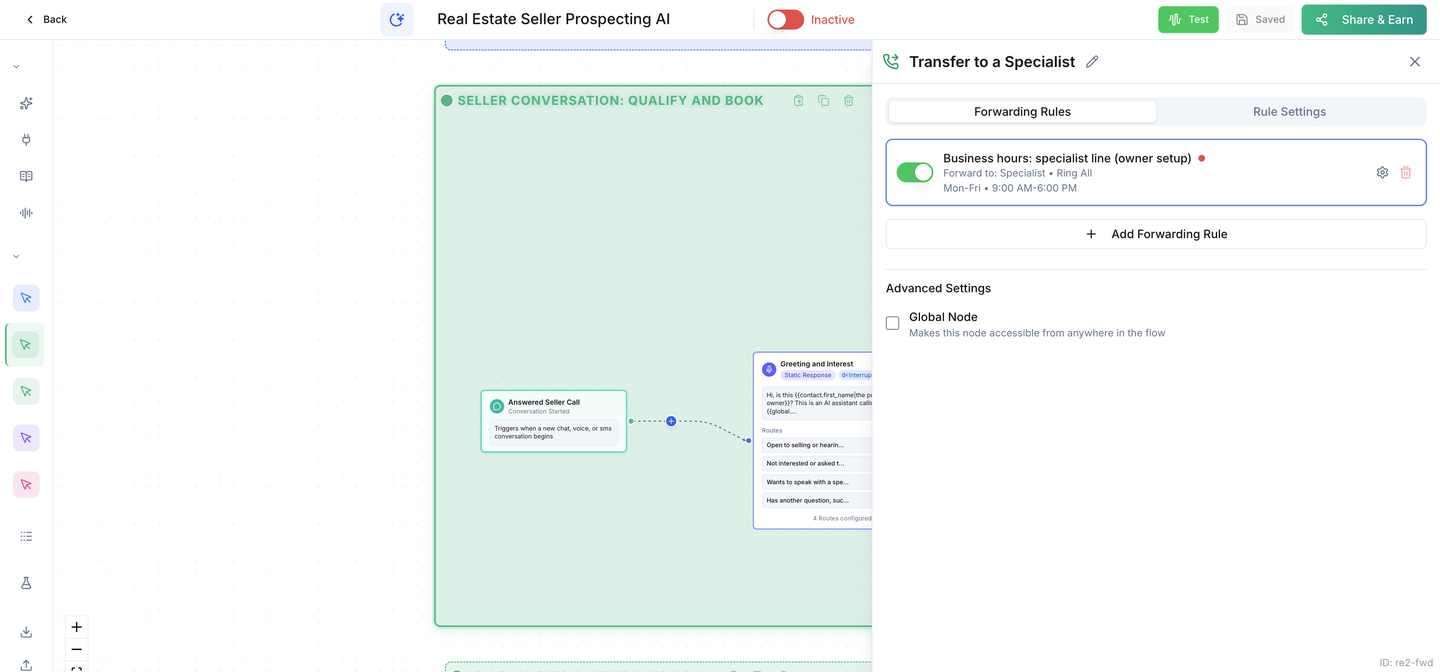
WHERE IN VOTELAgent Workflows › Seller Conversation: Qualify and Book › Transfer to a Specialist
Agent Workflows > Seller Conversation: Qualify and Book > Transfer to a Specialist: The Transfer to a Specialist step: open the business-hours rule to add your specialist's number and hours.
The Transfer to a Specialist step: open the business-hours rule to add your specialist's number and hours.
Done when: Owners hear your company name and a transfer rings your specialist.
03 · Required

Numbers

Choose the numbers owners see and text.
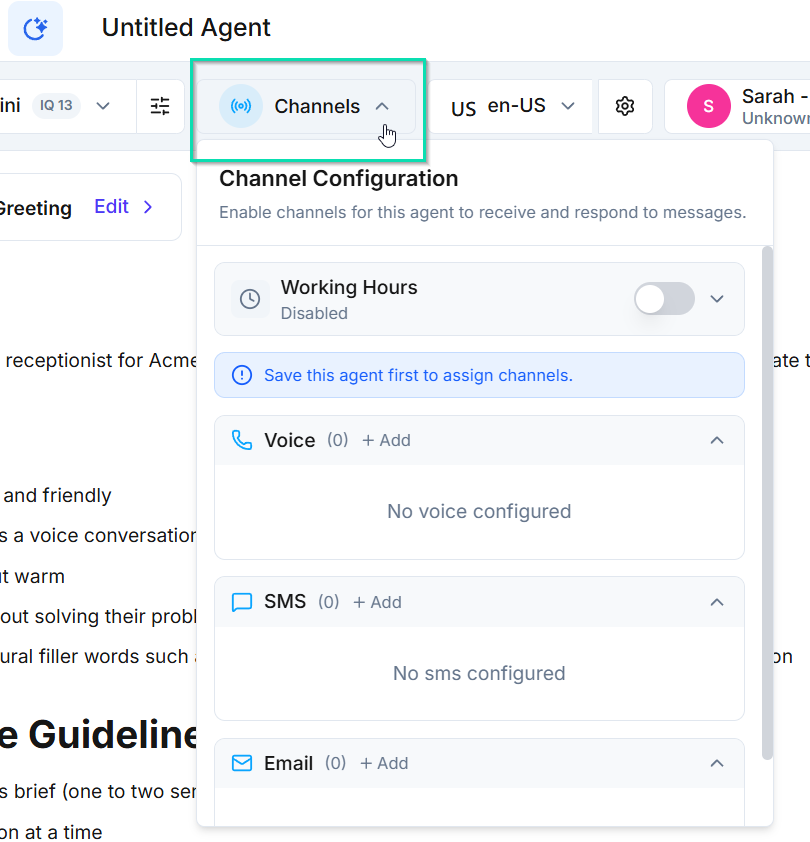
WHERE IN VOTELAgent › Channels
Agent > Channels: Open Channels in the agent header and add the SMS number.
Open Channels in the agent header and add the SMS number.Example screen from a demo account. Yours shows your own names.
Done when: Calls and texts go out from your own numbers, and a reply starts the reply workflow.
04 · Required

Consultation

Make the Seller Consultation bookable.

Done when: A test seller can book a real time with one of your specialists.
05 · Required

Email

Team alerts need a verified sender.

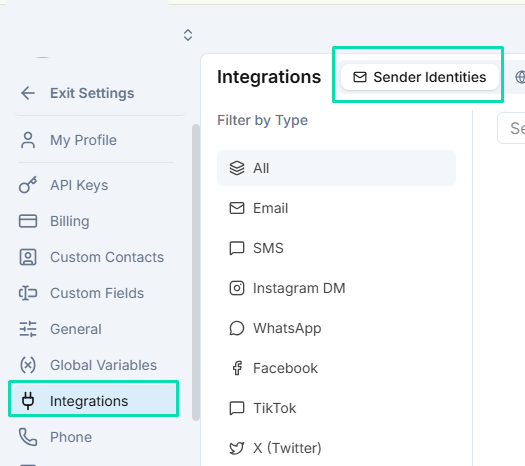
WHERE IN VOTELSettings › Integrations › Sender Identities
Settings > Integrations > Sender Identities: Add and verify the email sender under Sender Identities.
Add and verify the email sender under Sender Identities.Example screen from a demo account. Yours shows your own names.
Done when: A test booking emails your team from a verified sender.
07 · Required

Test & enroll

Prove it with a test seller, then enroll.
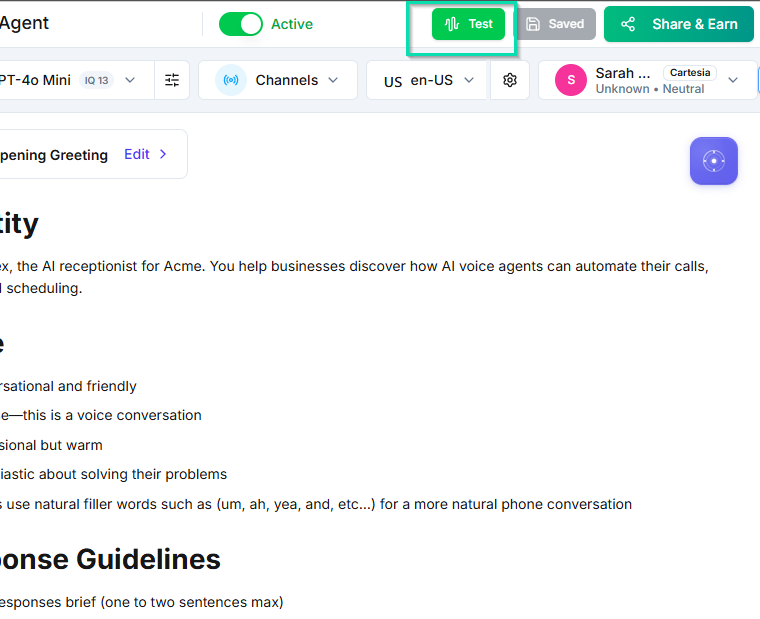
WHERE IN VOTELAgent › Header
Agent > Header: Run tests with the Test button, then turn on the Active switch as the very last step.
Run tests with the Test button, then turn on the Active switch as the very last step.Example screen from a demo account. Yours shows your own names.
Done when: Every acceptance test passes on a test seller before a real owner is enrolled.
08 · Optional

Tune the campaigns

Adjust timing and choose how you reach each list.

Done when: Your texts go out in your market's hours with your wording and the opt-out intact.

Ready for your seller list.

Enroll real owners only after every acceptance test passes on your installed copy.