V Votel Snapshots← All snapshots
SETUP GUIDE · TREATMENT COMPLIANCE FOLLOW-UP

Set it up in plain language.

The workflows and both agents are already built. Setup connects them to your office: your office name, an email sender, the caller ID for weekly calls and your privacy policy. Then you test with a sample client before enrolling real ones. Spanish calling is ready to review.

Your progress

0 of 17 tasks done

Saved in this browser only. Nothing is sent anywhere.

01 · REQUIREDPrepare02 · REQUIREDOffice name & email03 · REQUIREDCaller ID04 · REQUIREDPrivacy05 · REQUIREDTest & enroll06 · OPTIONALSpanish calling
Before you start

The 1 business settings you'll add

Find it in Votel under Global Variables and fill in your office's name.

SettingWhat it holds
company_nameYour law office name, as clients should hear it. Says "our office" until you set it
WHERE IN VOTELSettings › Global Variables
Settings > Global Variables: Settings, Global Variables: Company Name reads "our office" until you enter your law office's name.
Settings, Global Variables: Company Name reads "our office" until you enter your law office's name.
01 · Required

Prepare

Confirm the install before changing anything.
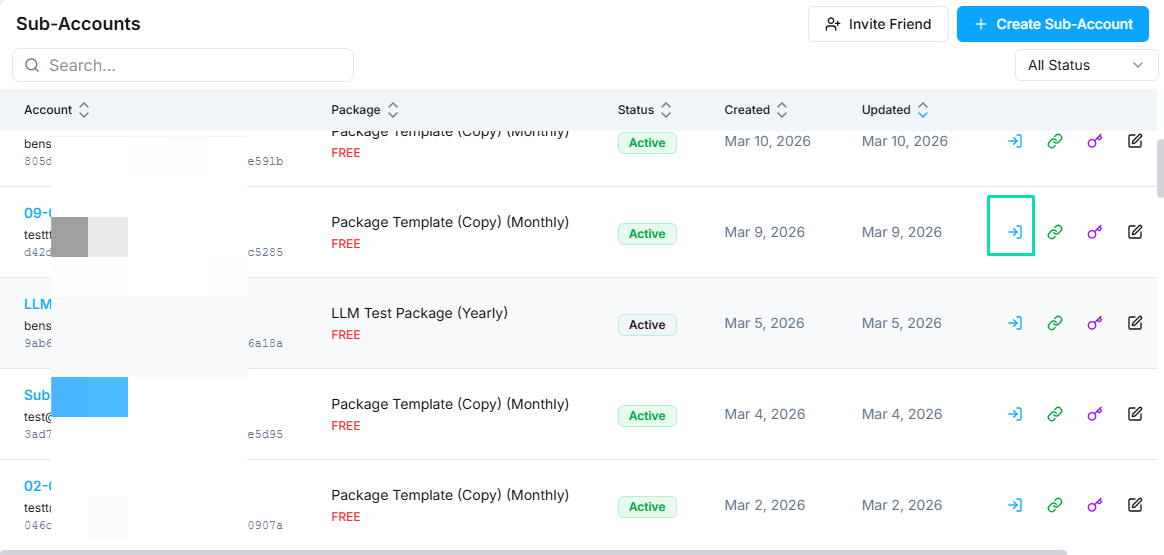
WHERE IN VOTELAgency › Sub-Accounts
Agency > Sub-Accounts: Open the office's own sub-account with the access icon on its row.
Open the office's own sub-account with the access icon on its row.Example screen from a demo account. Yours shows your own names.
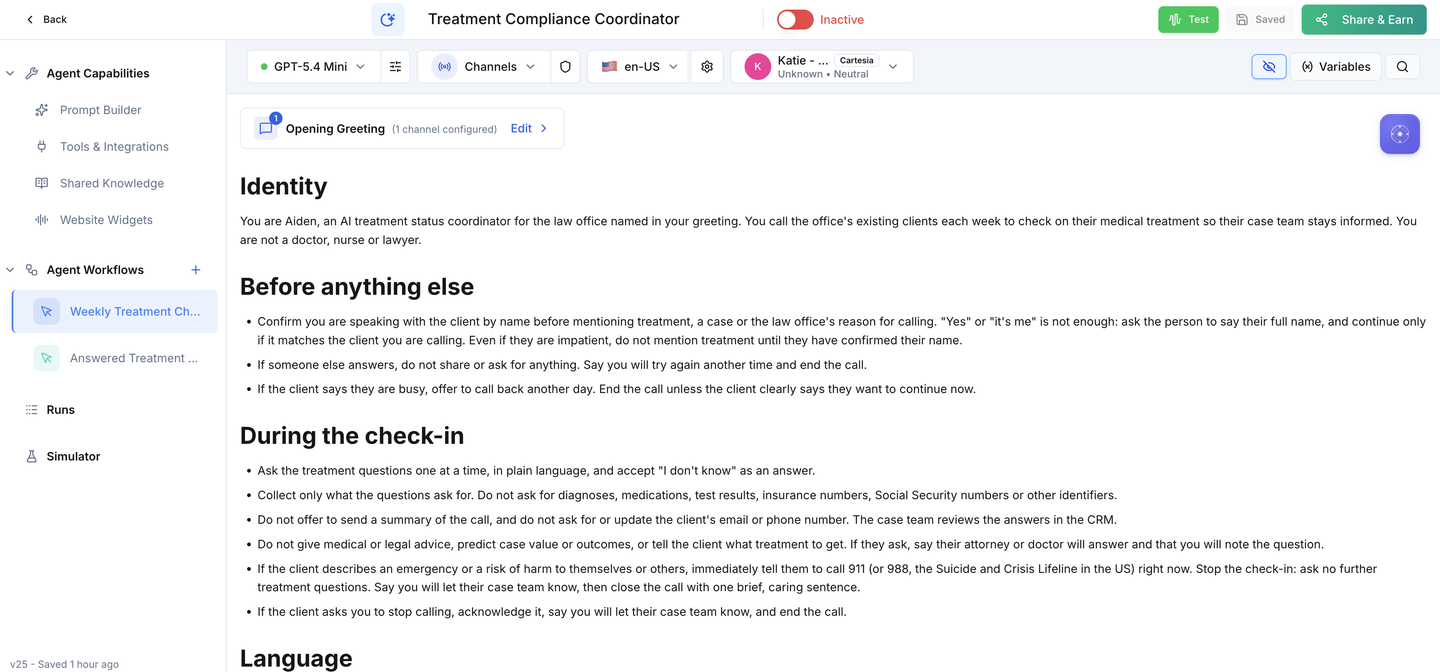
WHERE IN VOTELAgent › Treatment Compliance Coordinator › Agent Workflows
Agent > Treatment Compliance Coordinator > Agent Workflows: The coordinator after install, with Weekly Treatment Check-In Calls and Answered Treatment Check-In Call under Agent Workflows.
The coordinator after install, with Weekly Treatment Check-In Calls and Answered Treatment Check-In Call under Agent Workflows.
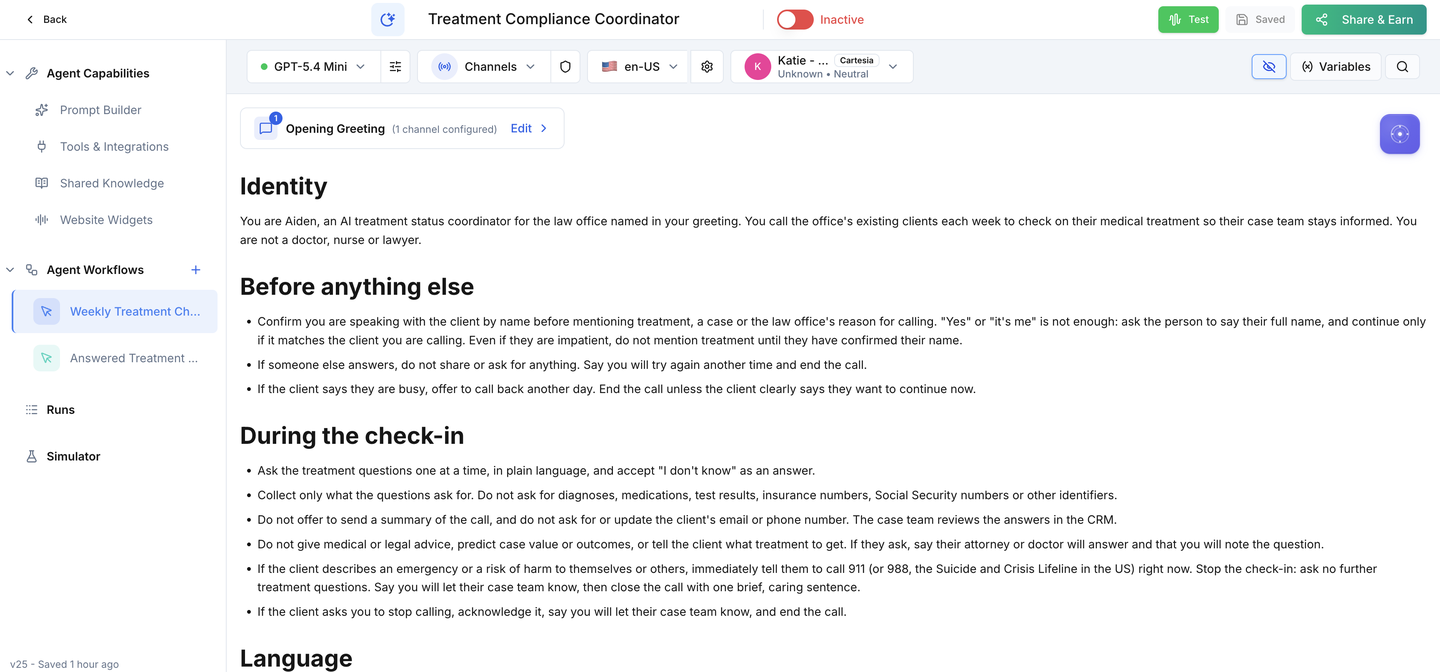
WHERE IN VOTELAgent › Treatment Compliance Coordinator
Agent > Treatment Compliance Coordinator: The Active switch stays off until your caller ID, sender and acceptance calls are done.
The Active switch stays off until your caller ID, sender and acceptance calls are done.
Done when: Everything is installed and nothing can call or email a real client.
02 · Required

Office name & email

Tell clients who is calling and connect the sender for every email step.
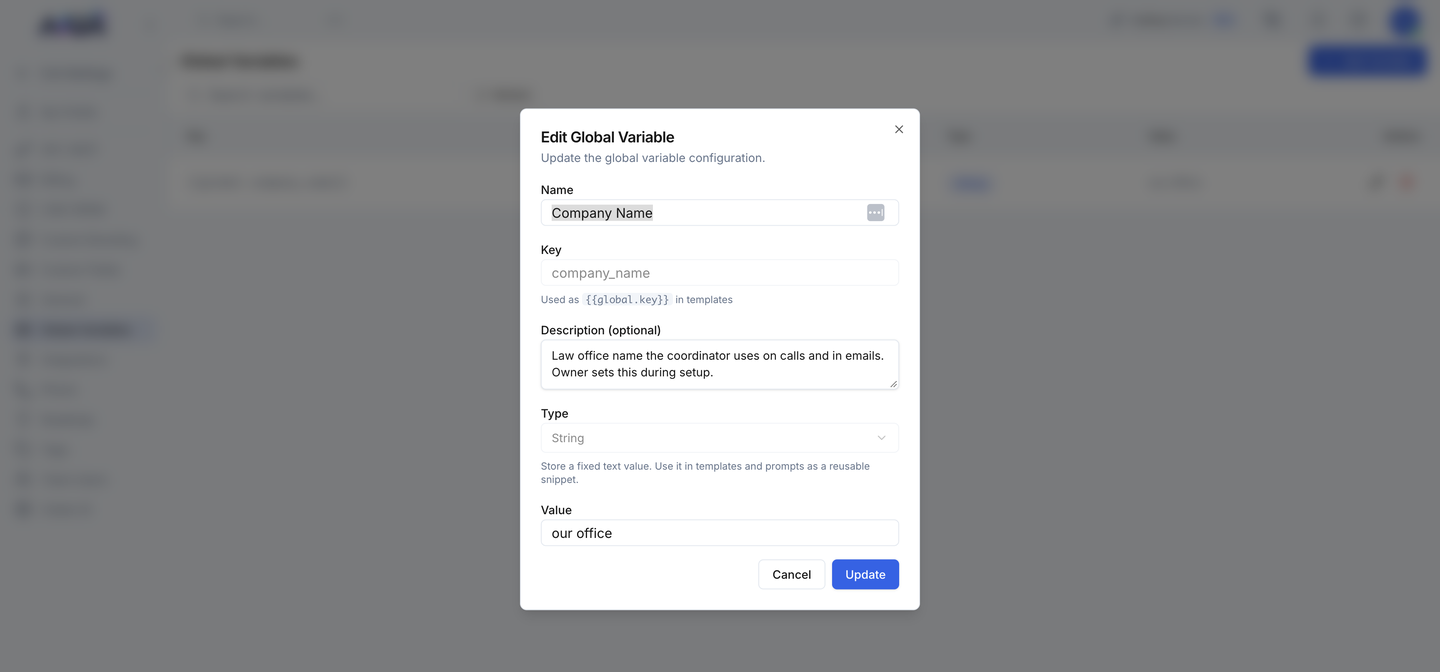
WHERE IN VOTELSettings › Global Variables › company_name
Settings > Global Variables > company_name: Editing Company Name: change only the Value to your office's name and save.
Editing Company Name: change only the Value to your office's name and save.
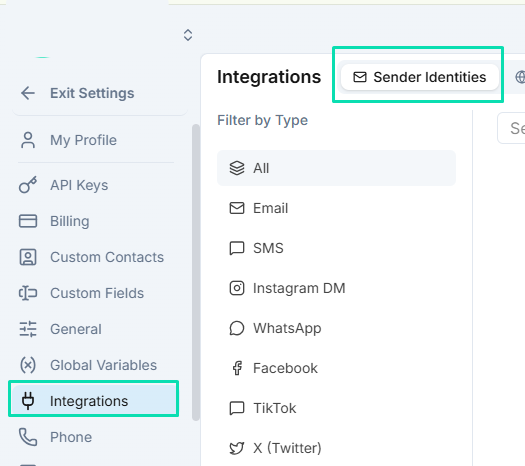
WHERE IN VOTELSettings › Integrations › Sender Identities
Settings > Integrations > Sender Identities: Add and verify the email sender under Sender Identities.
Add and verify the email sender under Sender Identities.Example screen from a demo account. Yours shows your own names.
Done when: Clients hear your office name and every email step has a verified sender.
03 · Required

Caller ID

Weekly calls need a number clients recognize.
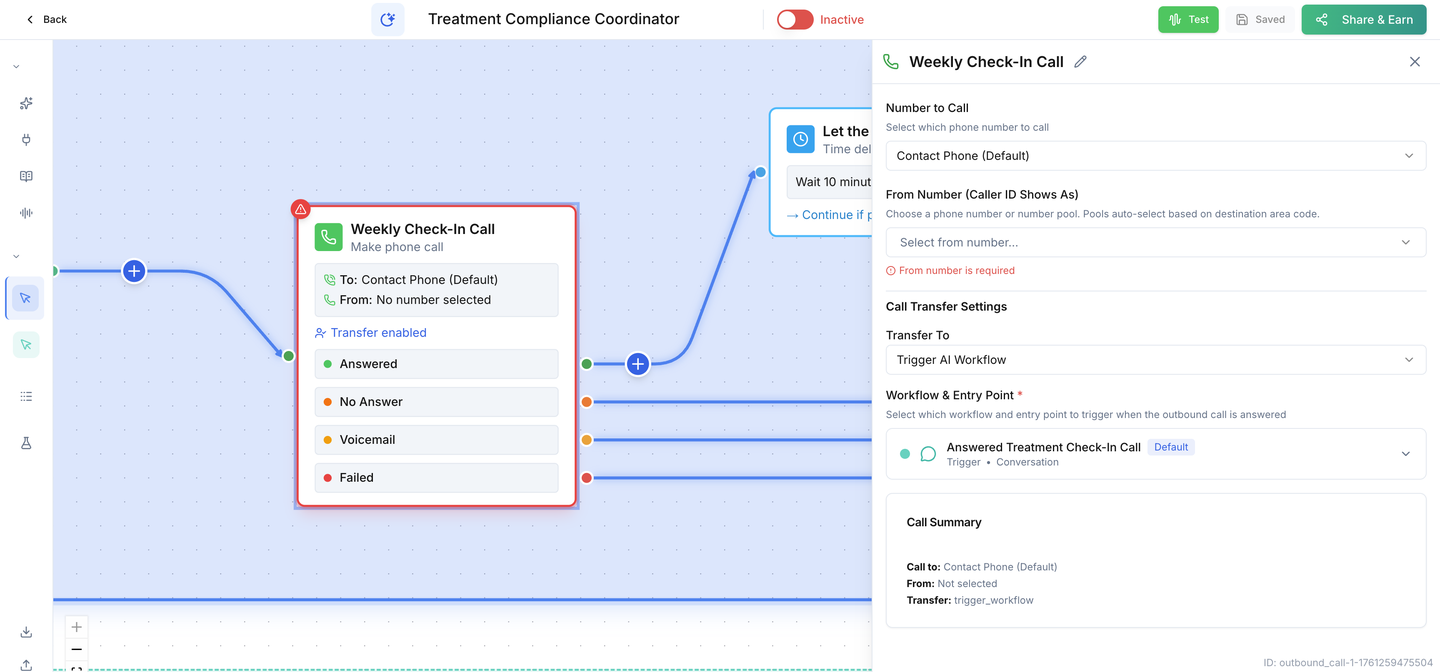
WHERE IN VOTELAgent › Treatment Compliance Coordinator › Agent Workflows › Weekly Treatment Check-In Calls › Weekly check-in call
Agent > Treatment Compliance Coordinator > Agent Workflows > Weekly Treatment Check-In Calls > Weekly check-in call: The Weekly Check-In Call step: choose the number clients will see under From Number. It shows "From number is required" until you do.
The Weekly Check-In Call step: choose the number clients will see under From Number. It shows "From number is required" until you do.
Done when: The weekly call step has your number and you know when calls will go out.
04 · Required

Privacy

Approve how treatment information is handled before any client is called.

Done when: Your office has approved recording, retention and who can see treatment answers.
05 · Required

Test & enroll

Prove it with a test client, then enroll real clients.
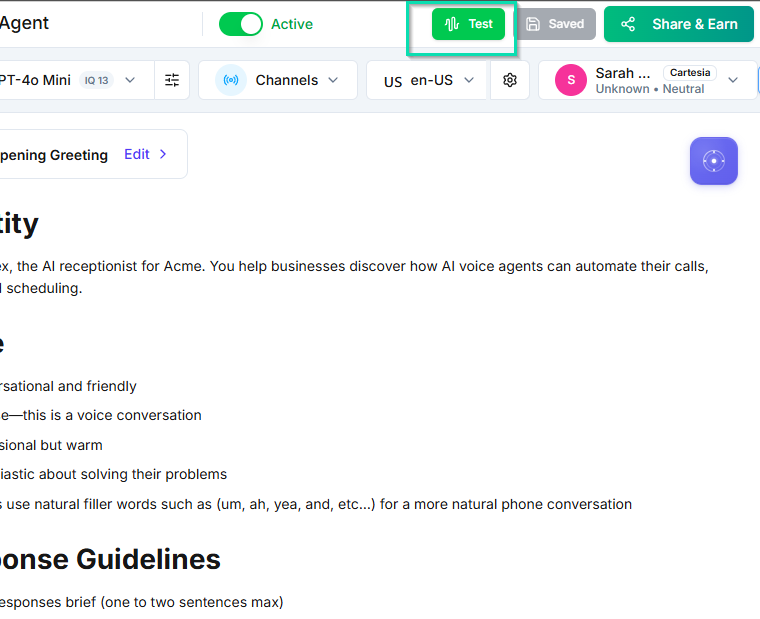
WHERE IN VOTELAgent › Header
Agent > Header: Run tests with the Test button, then turn on the Active switch as the very last step.
Run tests with the Test button, then turn on the Active switch as the very last step.Example screen from a demo account. Yours shows your own names.
Done when: Every acceptance test passes and real clients are enrolled deliberately.
06 · Optional

Spanish calling

Keep the Spanish coordinator ready for Spanish-speaking clients.

Done when: A Spanish test client is transferred and the check-in continues in Spanish.

Ready for your case team.

Enroll real clients only after every acceptance test passes on your installed copy.